.png)
How to Identify My Site Type
Choosing the right plan ensures you have the exact tools you need to build and manage your online presence. Whether you are creating a personal portfolio, a service-based business page, or a fully-fledged online store, our platform scales with your goals.
Regardless of the plan you choose, every plan comes fully equipped with all of our core Builder Features and the Blog Add-on. This ensures you have complete creative control over your website's layout and content from day one.
Below is a detailed breakdown of the specific capabilities and interface adjustments for each plan.
Table of Contents
Website Plan
The Website Plan is designed for users who need a powerful, content-driven site without the need for sales or booking integrations.
- Core Features: Full access to all core builder features and the Blog Add-on.
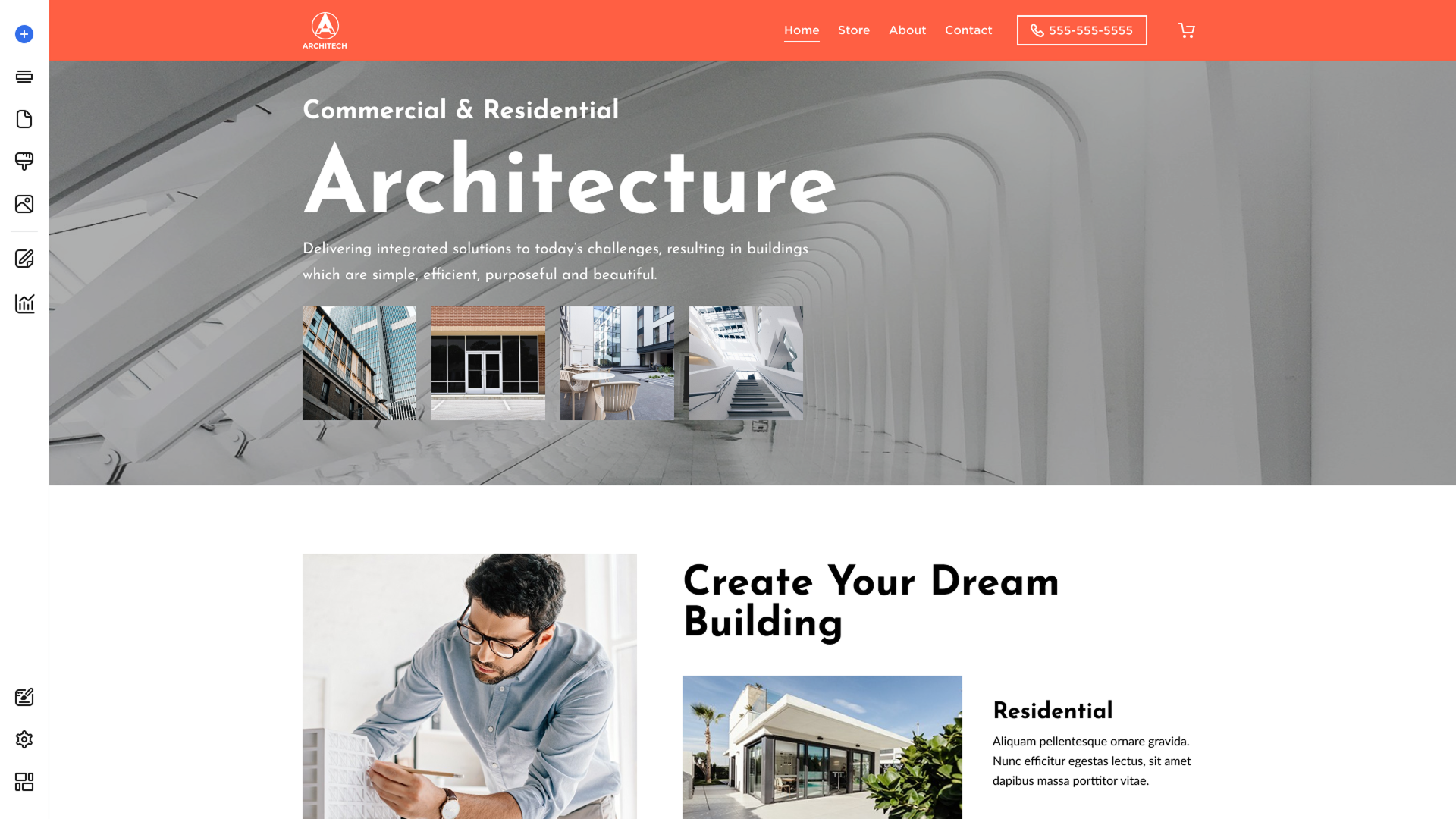
- Limitations: This plan does not support Store or Appointments integrations.
- Interface Adjustments: Because e-commerce and booking features are disabled, you will not see the App Settings option under the Advanced menu, keeping your workspace clean and focused on design.
Website + Marketing Plan
The Website + Marketing Plan is the perfect middle ground for service-based businesses that need to manage client bookings directly through their site.
- Core Features: Full access to all builder features and the Blog Add-on.
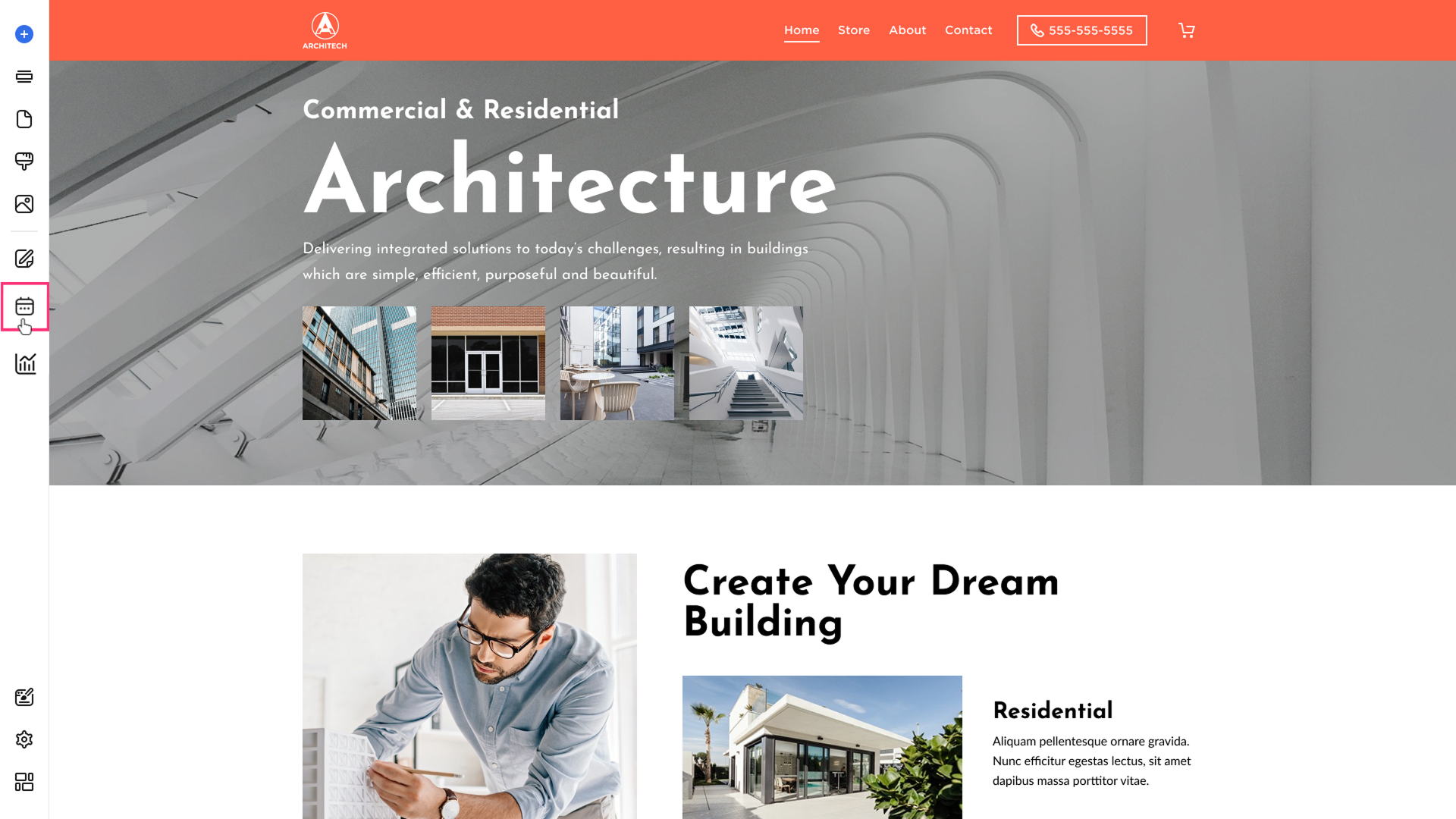
- Sidebar Access: The workspace sidebar includes dedicated access to the Appointments section.
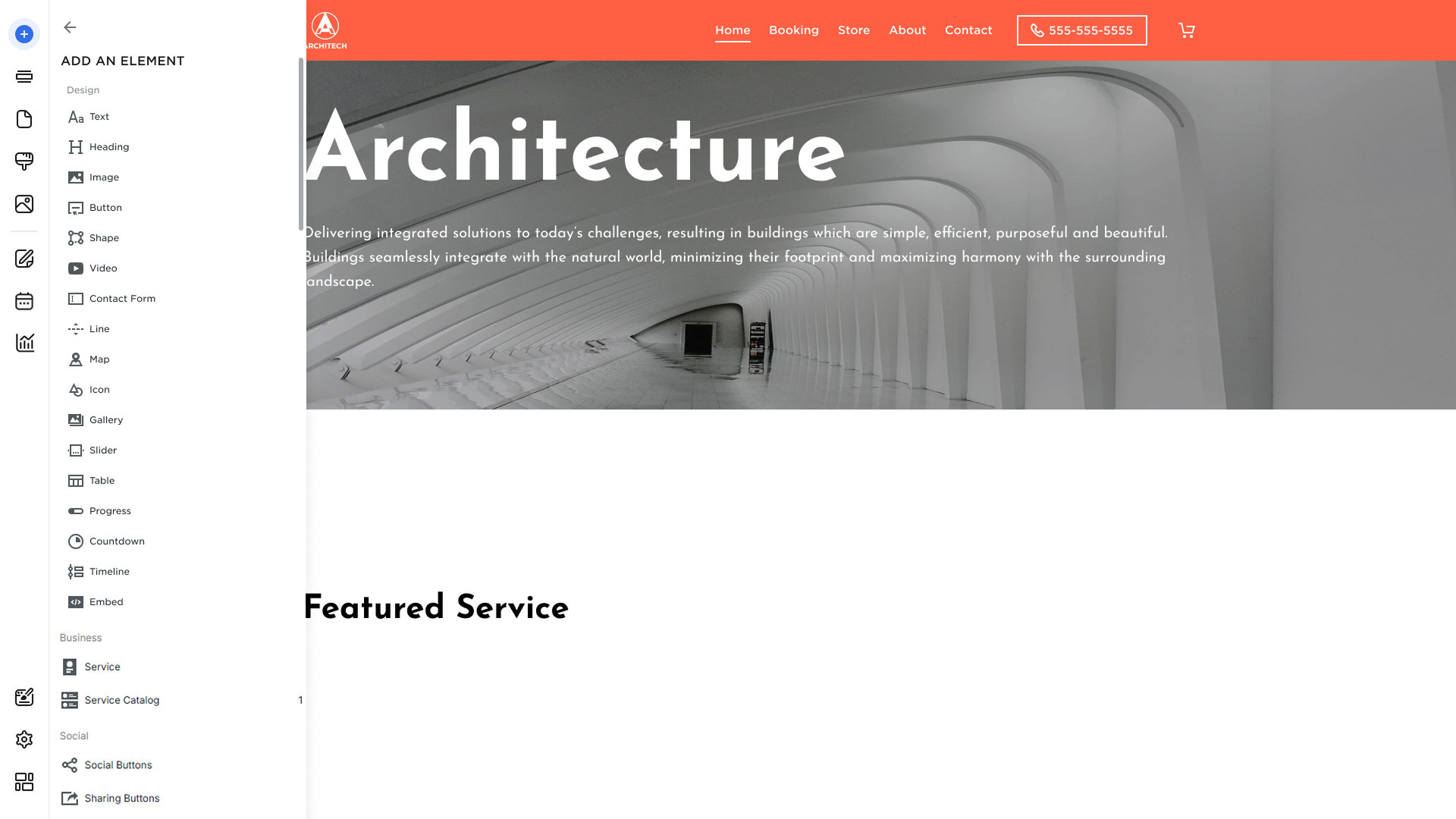
- Element List: When designing your pages, your elements list will be updated to include Services and Catalogs, allowing you to easily display your offerings to potential clients.
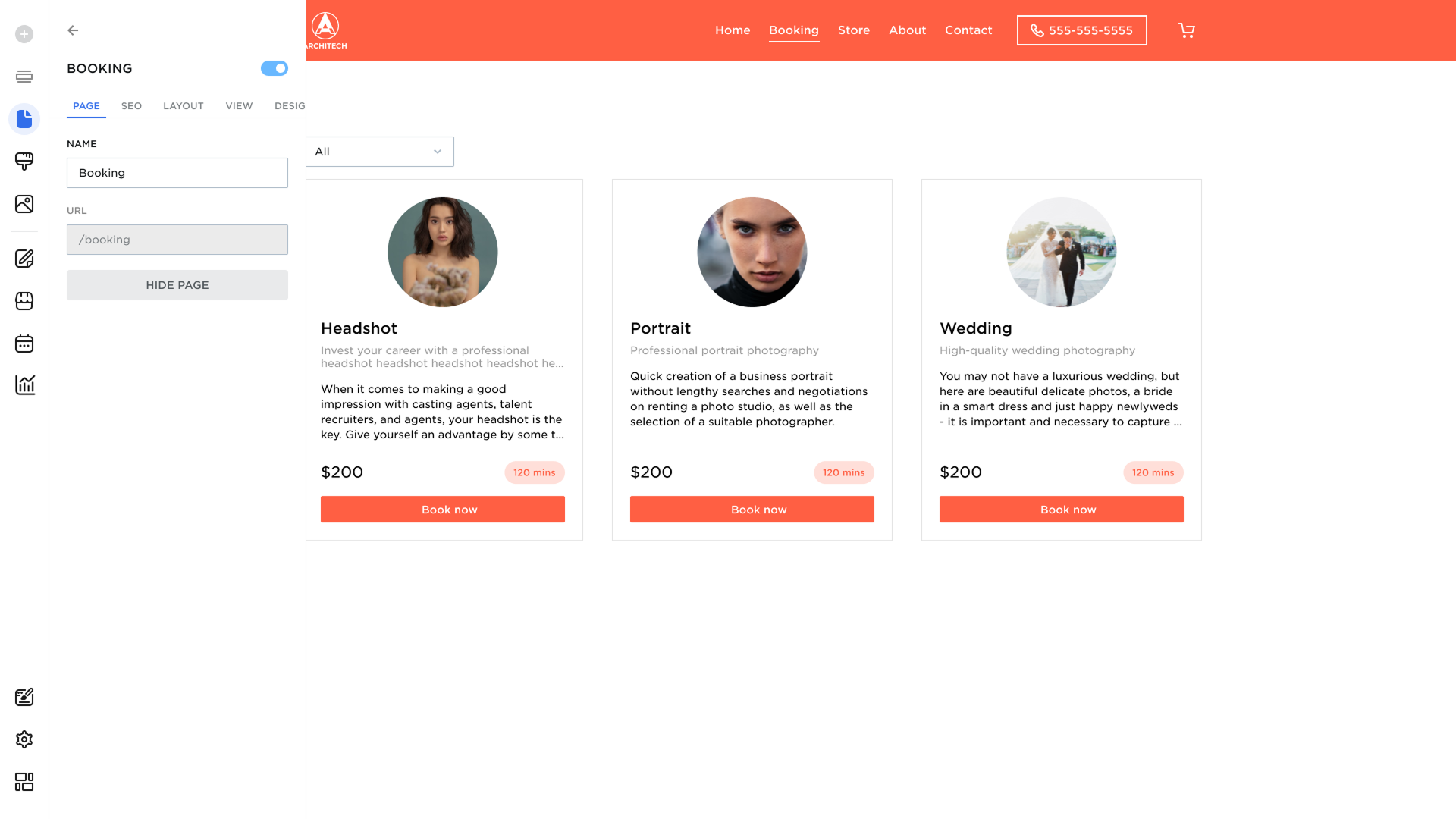
- System Pages: When the Booking module is enabled, a system-generated Booking page is added to the pages list with the URL path: /booking.
Ecommerce Plan
The Ecommerce Plan is our most comprehensive tier, built for users who want to sell physical products or digital goods.
- Core Features: Full access to all builder features and the Blog Add-on.
- Sidebar Access: The workspace sidebar provides full access to both the Store and Appointments sections.
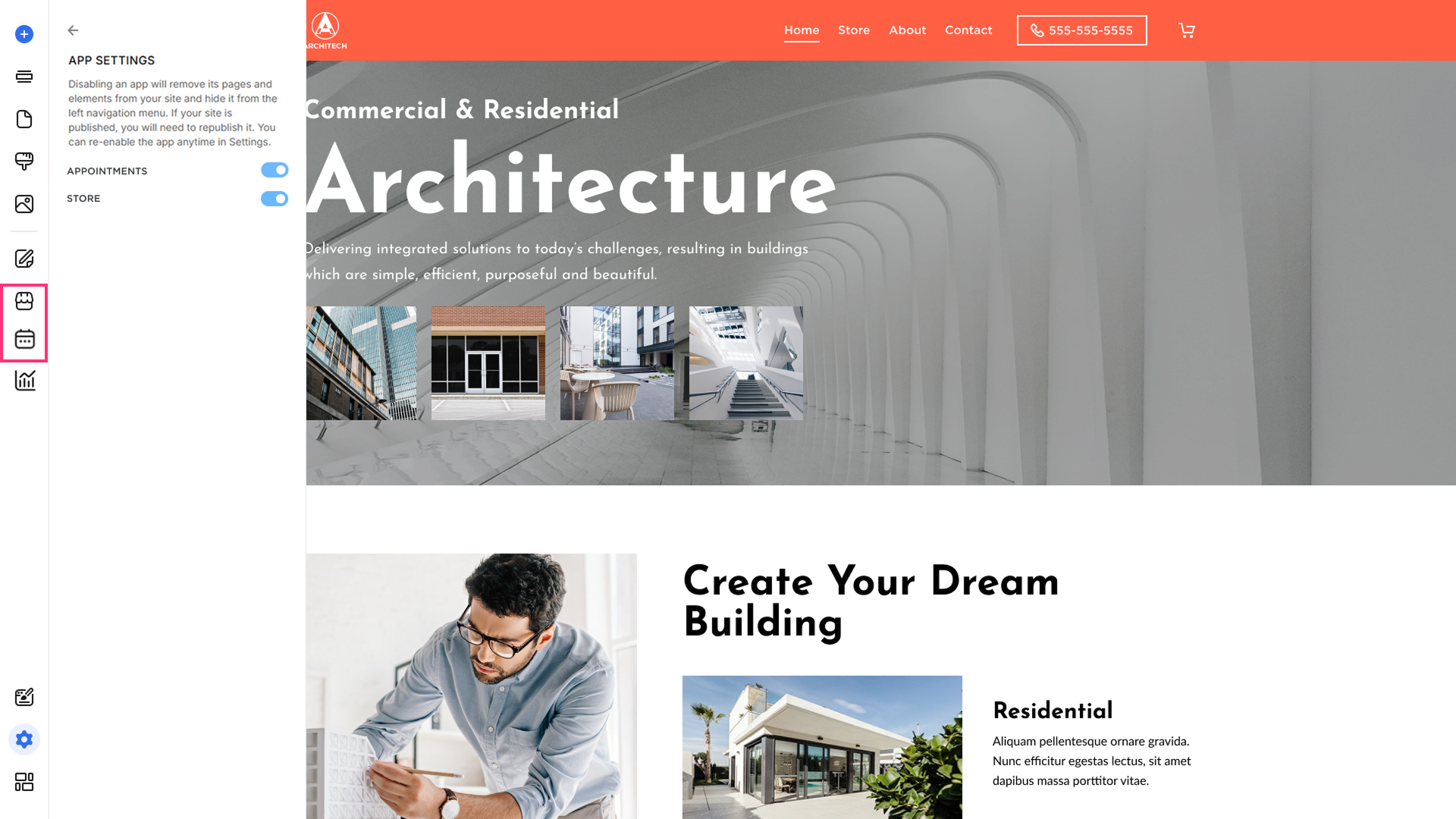
- App Settings Control: You have complete control over your workspace. You can easily toggle the Store or Booking functionalities on or off directly within App Settings.
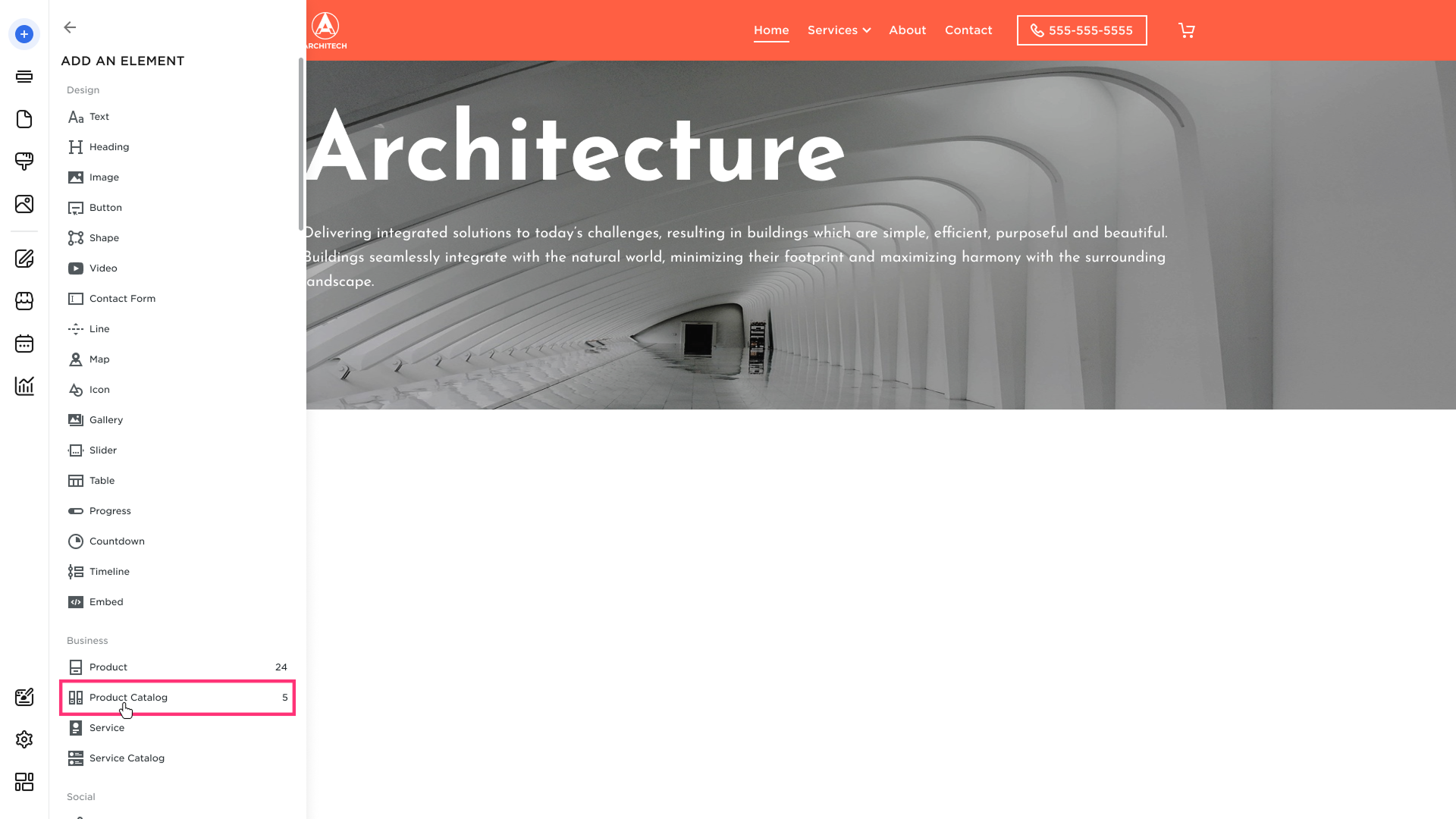
- Element List: When the Store or Booking functionalities are connected, your elements list will automatically populate with Catalog, Products, and Services, ready to be added into your layout.
- System Pages: When the Store module is enabled, system-generated Store/Product pages are added to the pages list. The main Store page uses the URL path: /store. When the Booking module is enabled, a system-generated Booking page is added to the pages list with the URL path: /booking.
